01
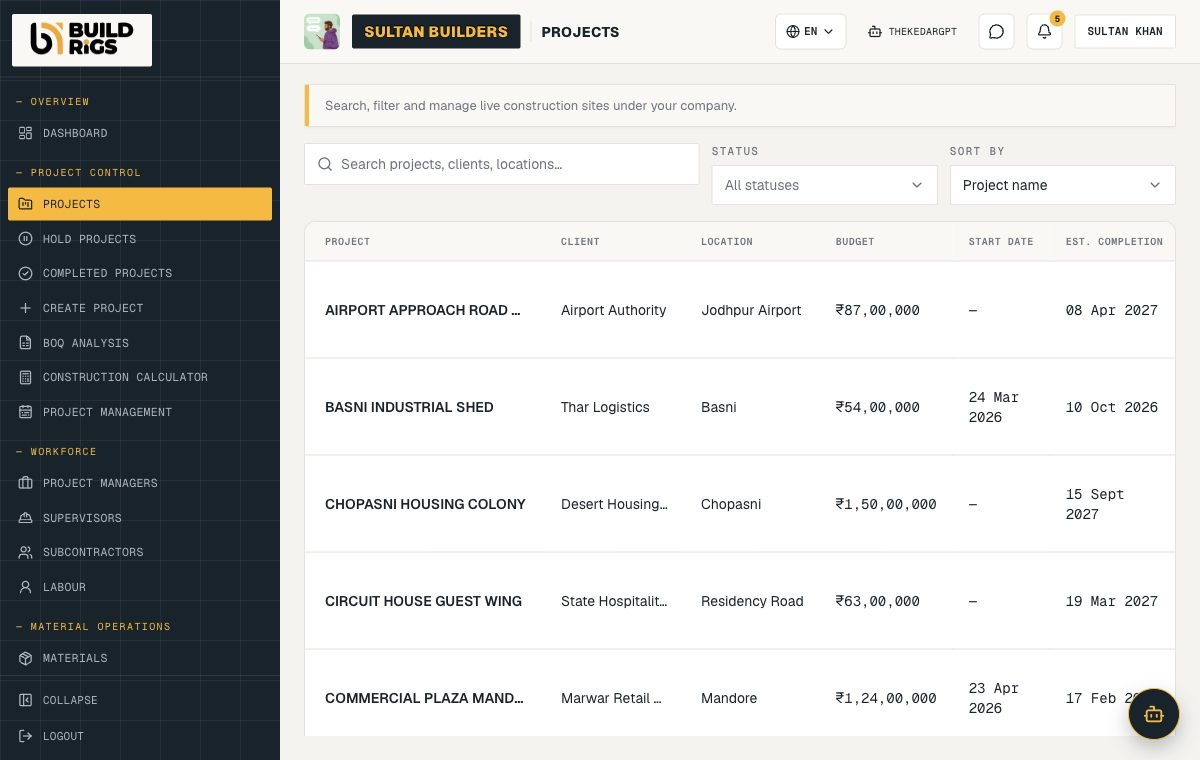
Every project, one list
Client, location, budget, start, and estimated completion. Search, filter, and sort live sites.
For the company running the site
Projects, BOQ, supervisors, labour, attendance, materials, progress, budget, and reports — for the firm doing the work, not just hiring for it.
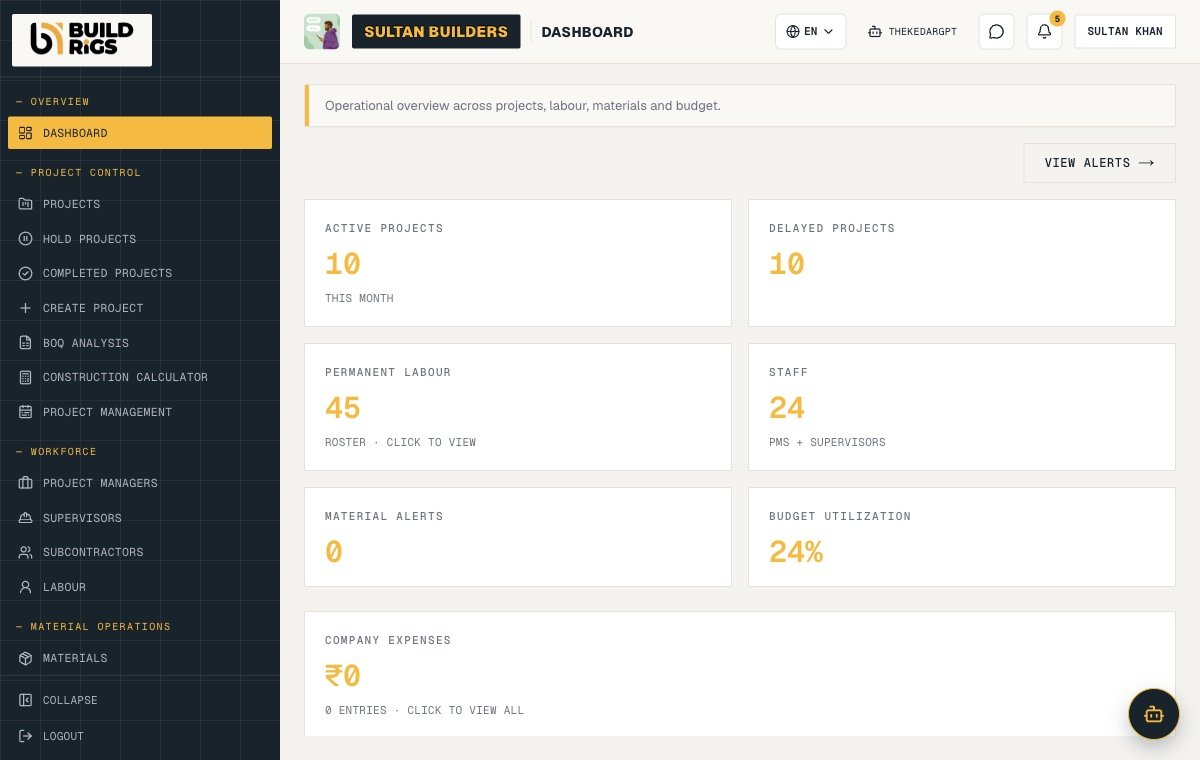
Inside the product
These are screens from the live Construction OS, not mock-ups.
Client, location, budget, start, and estimated completion. Search, filter, and sort live sites.
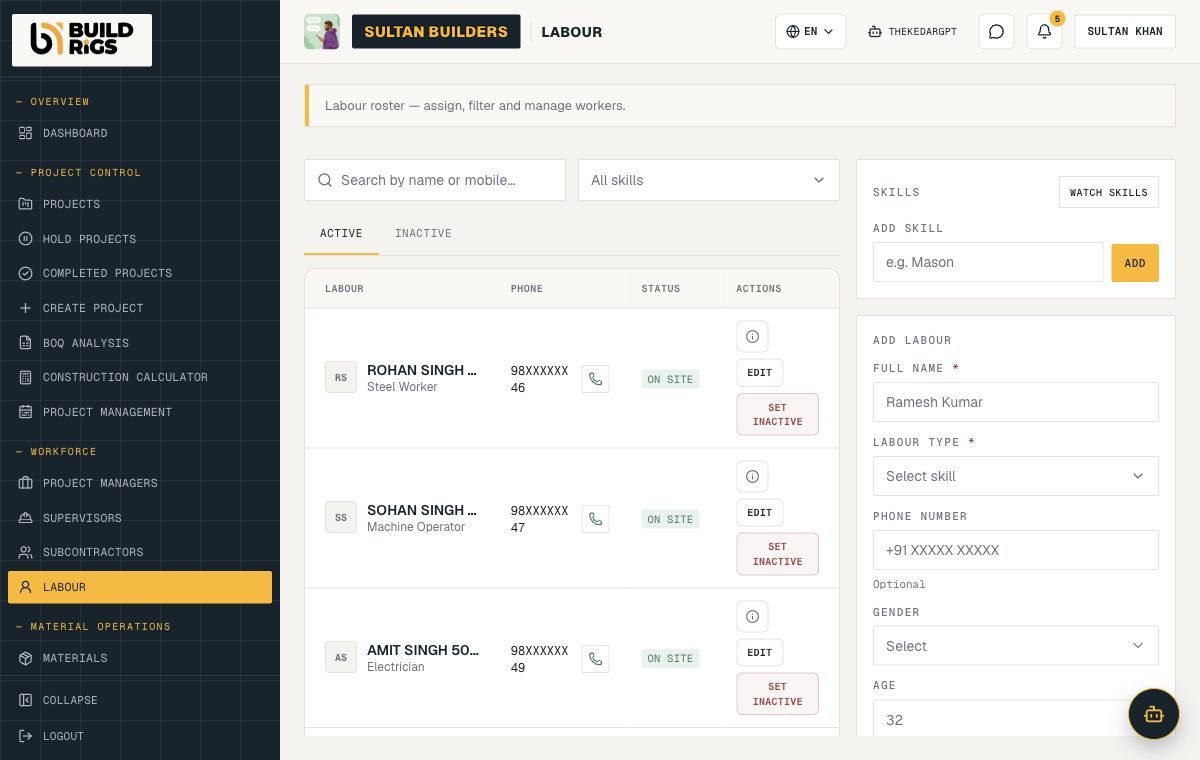
Skills, phone, and on-site status for every worker. Add and assign people in place.
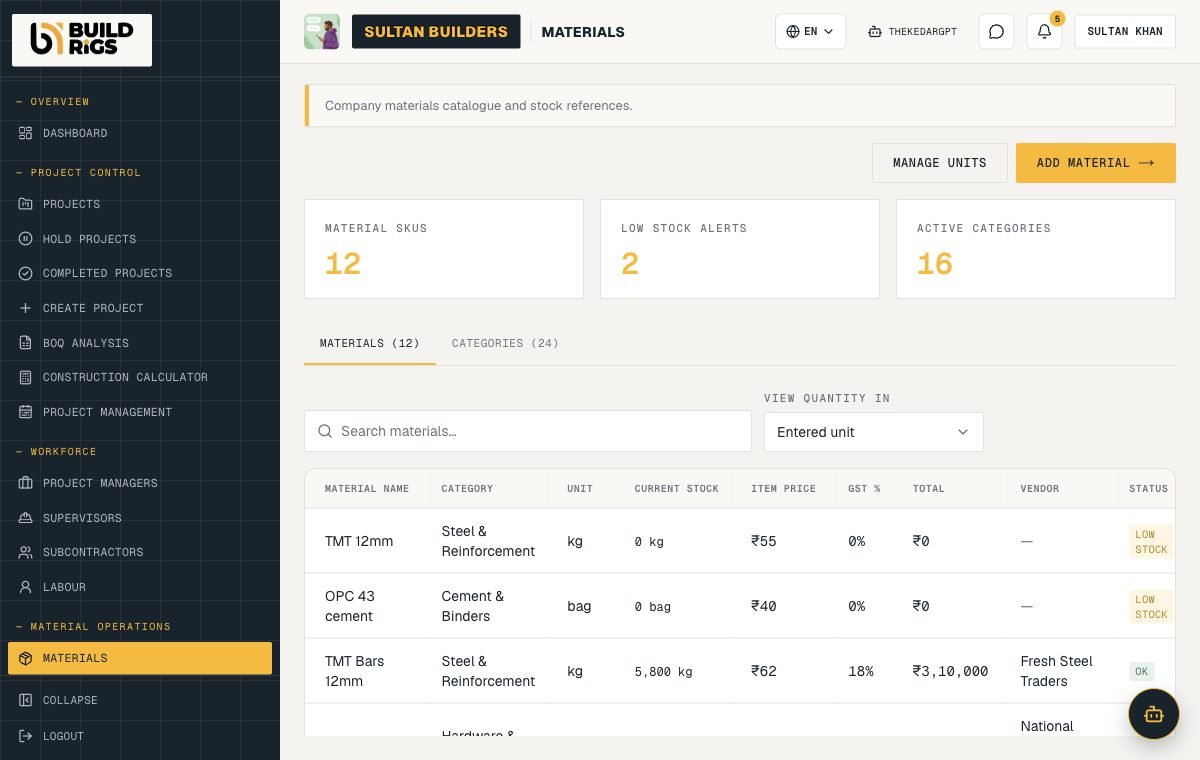
SKUs, categories, GST, vendors, and low-stock alerts across the company.
Features
Create the job, assign a manager, and track health, estimates, and status.
Upload a bill of quantities and keep it against the project.
Supervisors, subcontractors, labour, skills, mark-in and mark-out, and overtime.
Stock, usage, purchases, and transfers between sites.
Daily progress reports and issues logged the day the job slips.
Budgets, expenses, labour payments, and project reports that match at month end.
How it works
Add your team and roles. The OS is multi-seat with permissions.
Add client, location, budget, and timeline. Upload the BOQ.
Mark attendance, log materials, and post daily progress.
Budget, labour, material, and delay reports for every project.
FAQ
Anything else? Ask on WhatsApp or use the contact form and the team comes back within a day.
No. It is a separate product with a separate database. Sign-in can be shared; project data is not mixed with hire data.
Yes. Add project managers, supervisors, and accounts users with their own role permissions.
Yes. Supervisors can mark attendance and post progress from a phone; the full workspace runs in the browser.
Book a demo from the contact page. We set up the company and walk your team through the first project.
More from BuildRigs
Get started
Talk to the team and we will set you up — usually the same day.