01
The day at a glance
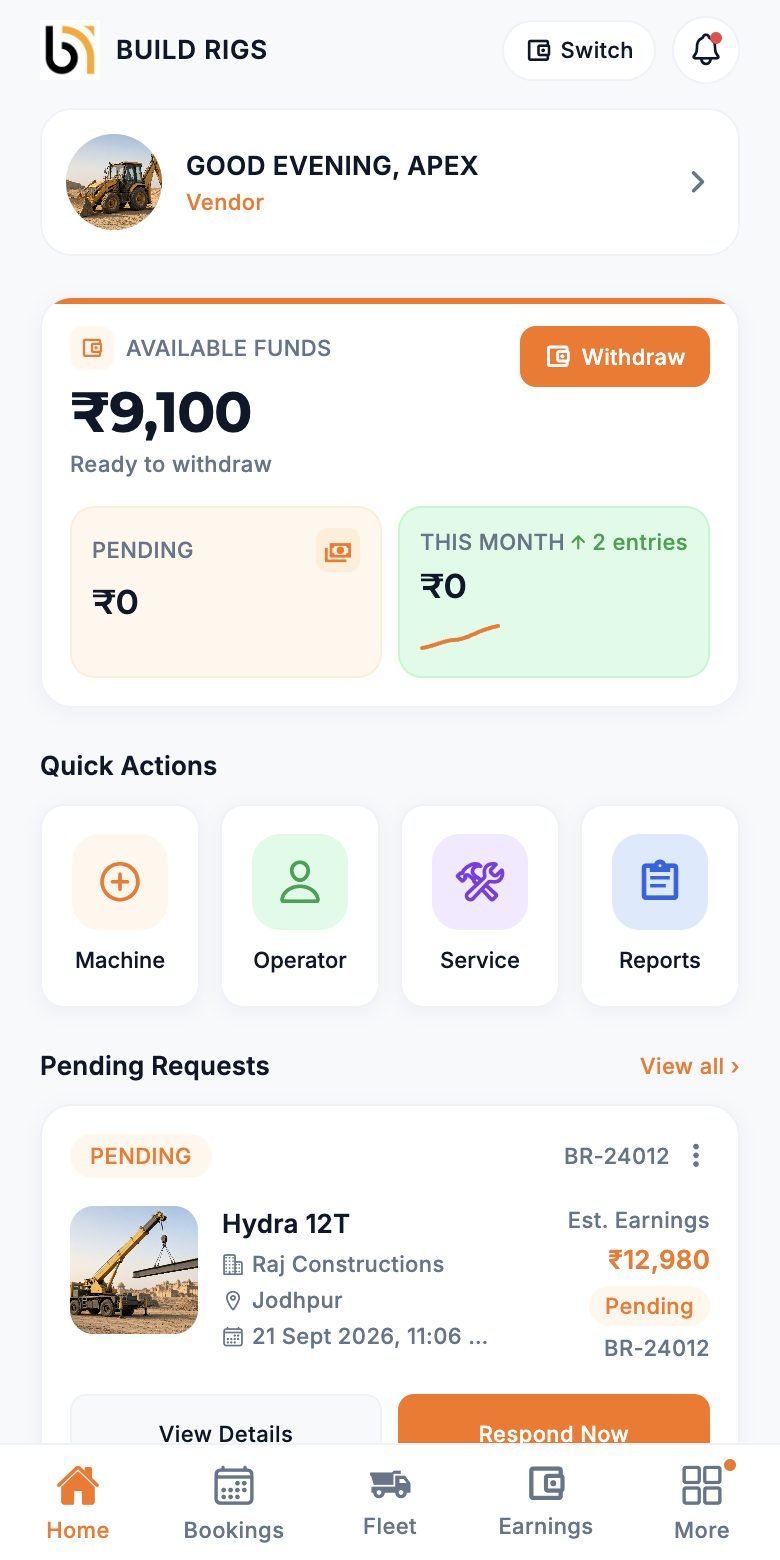
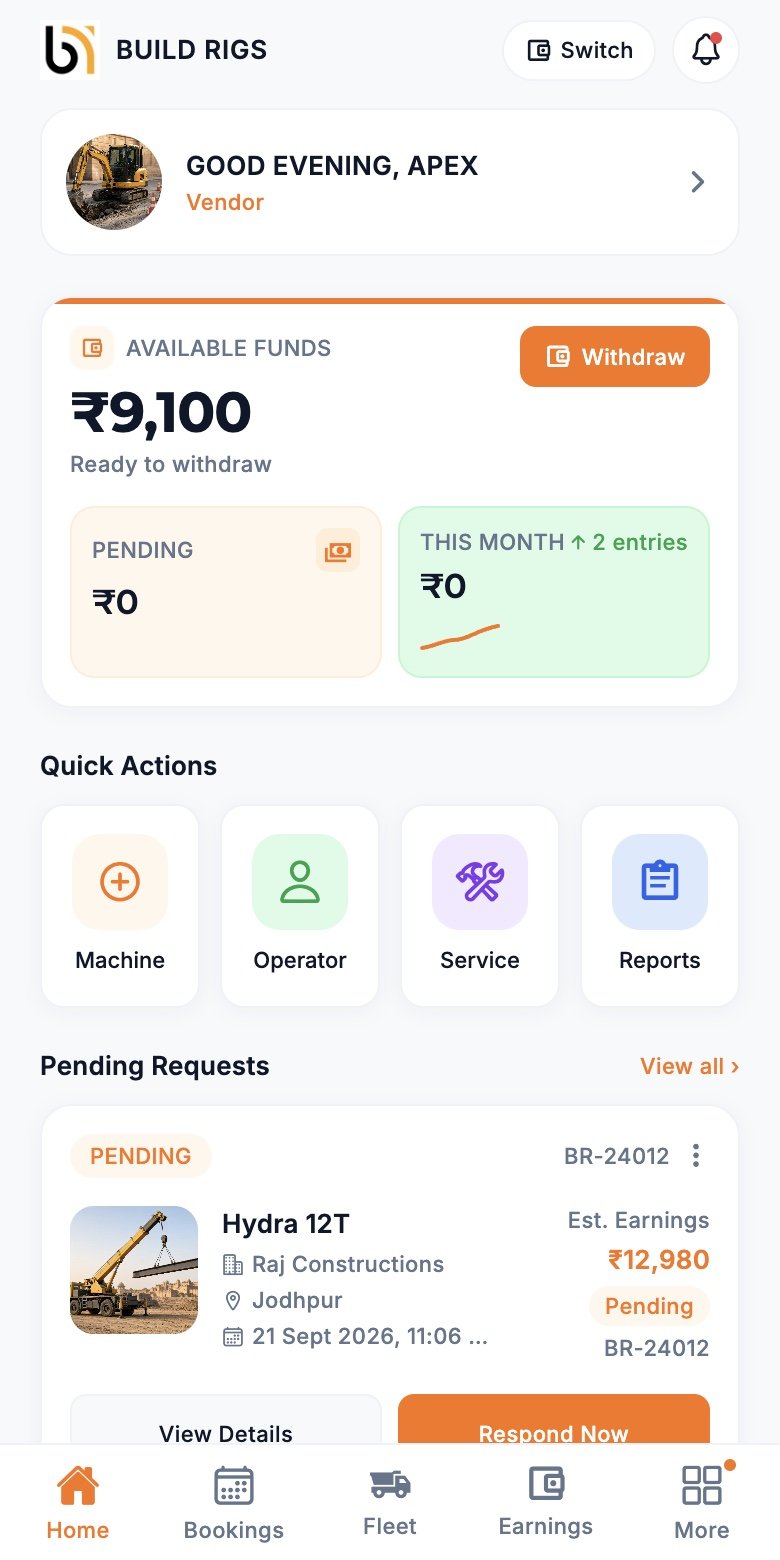
Pending requests, active hires, and funds on the first screen.
Machinery hire · vendor app
List the machines you already own, set your own rates, and accept only the jobs that suit you. Bookings, fleet, KYC, and payouts sit in one app.
Inside the product
These are screens from the live Vendor app, not mock-ups.
Pending requests, active hires, and funds on the first screen.
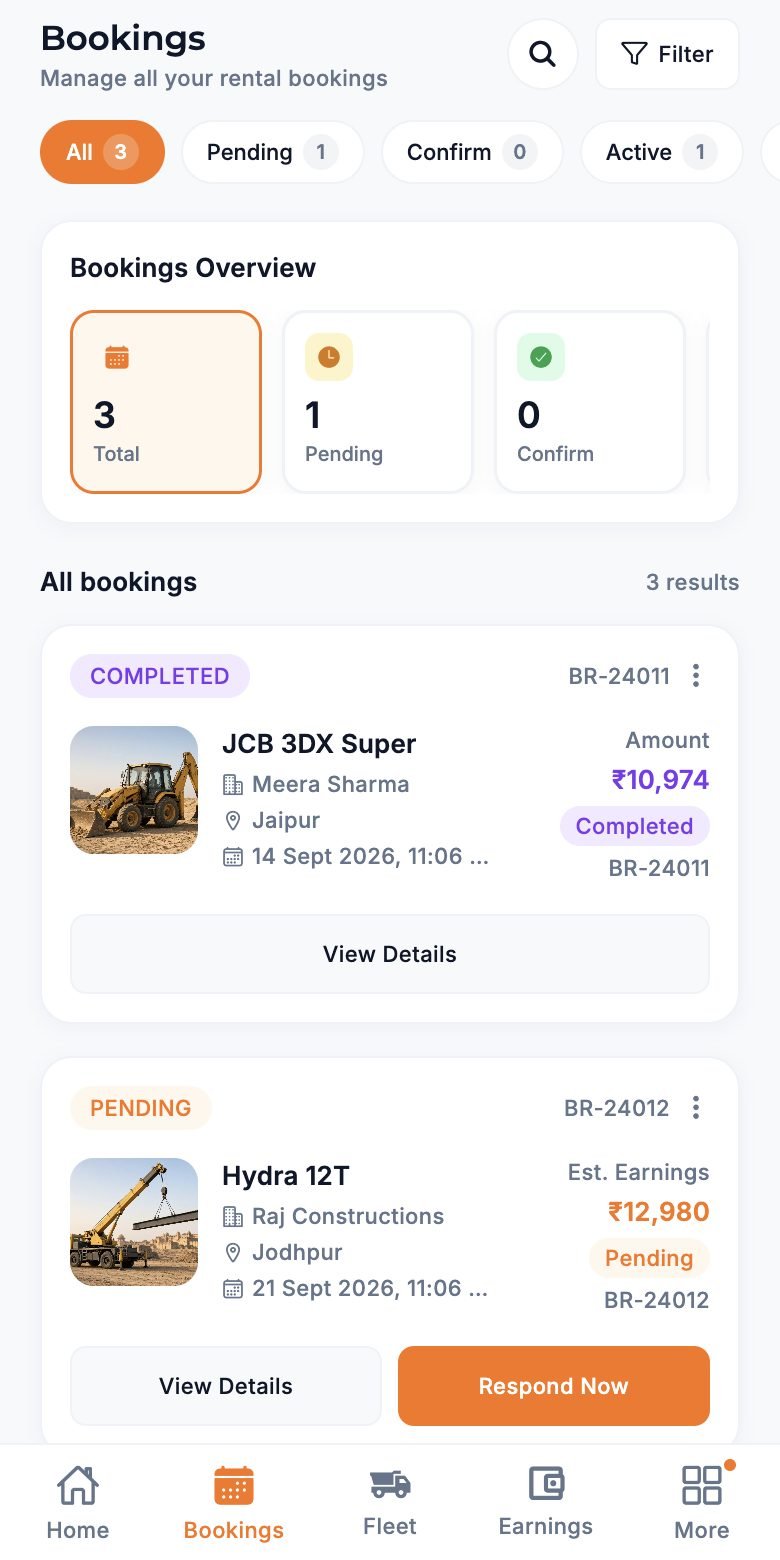
City, dates, and duration arrive with every request. Accept or decline in a tap.
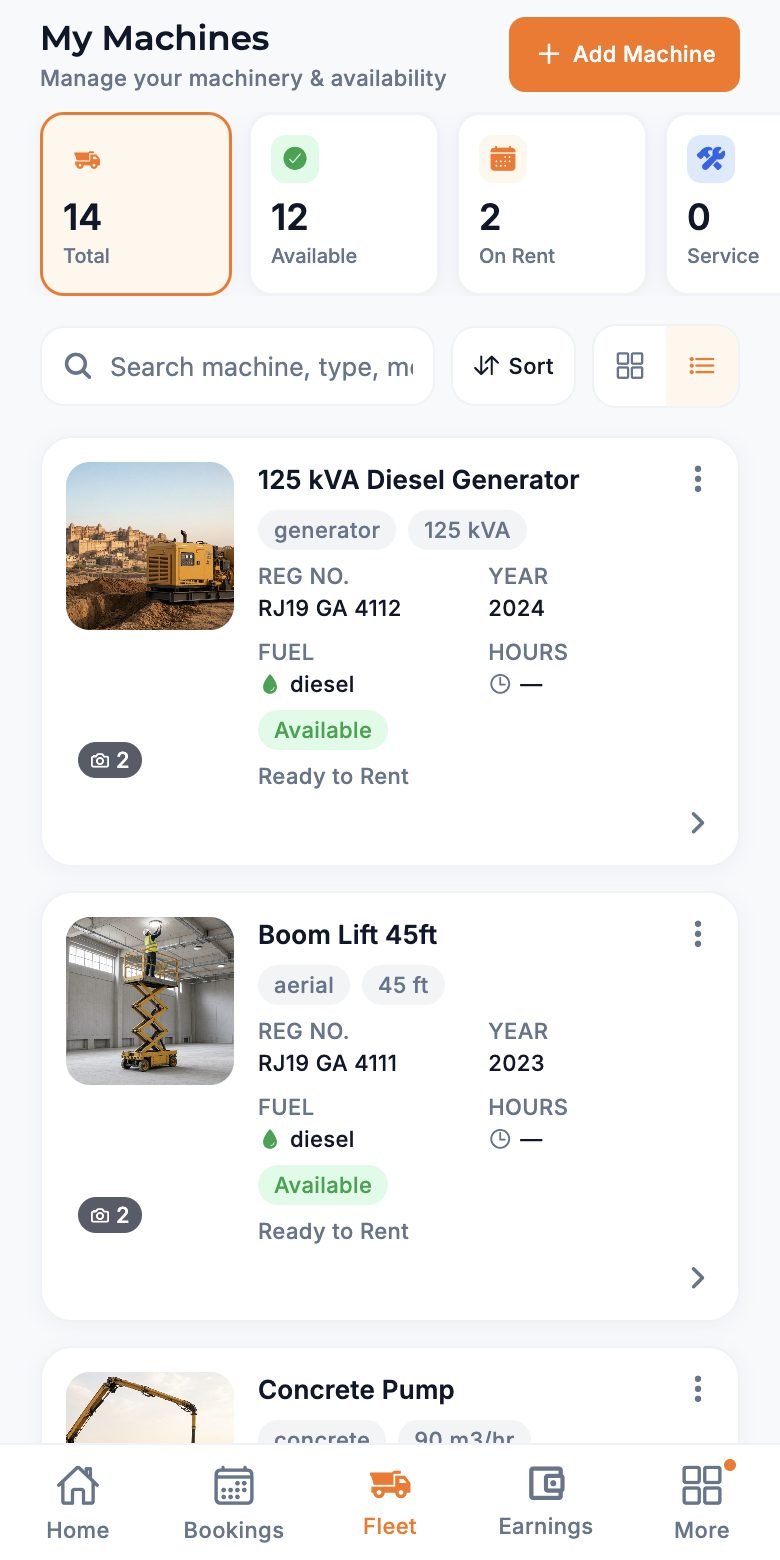
Each machine has its own photos, rates, papers, and availability.
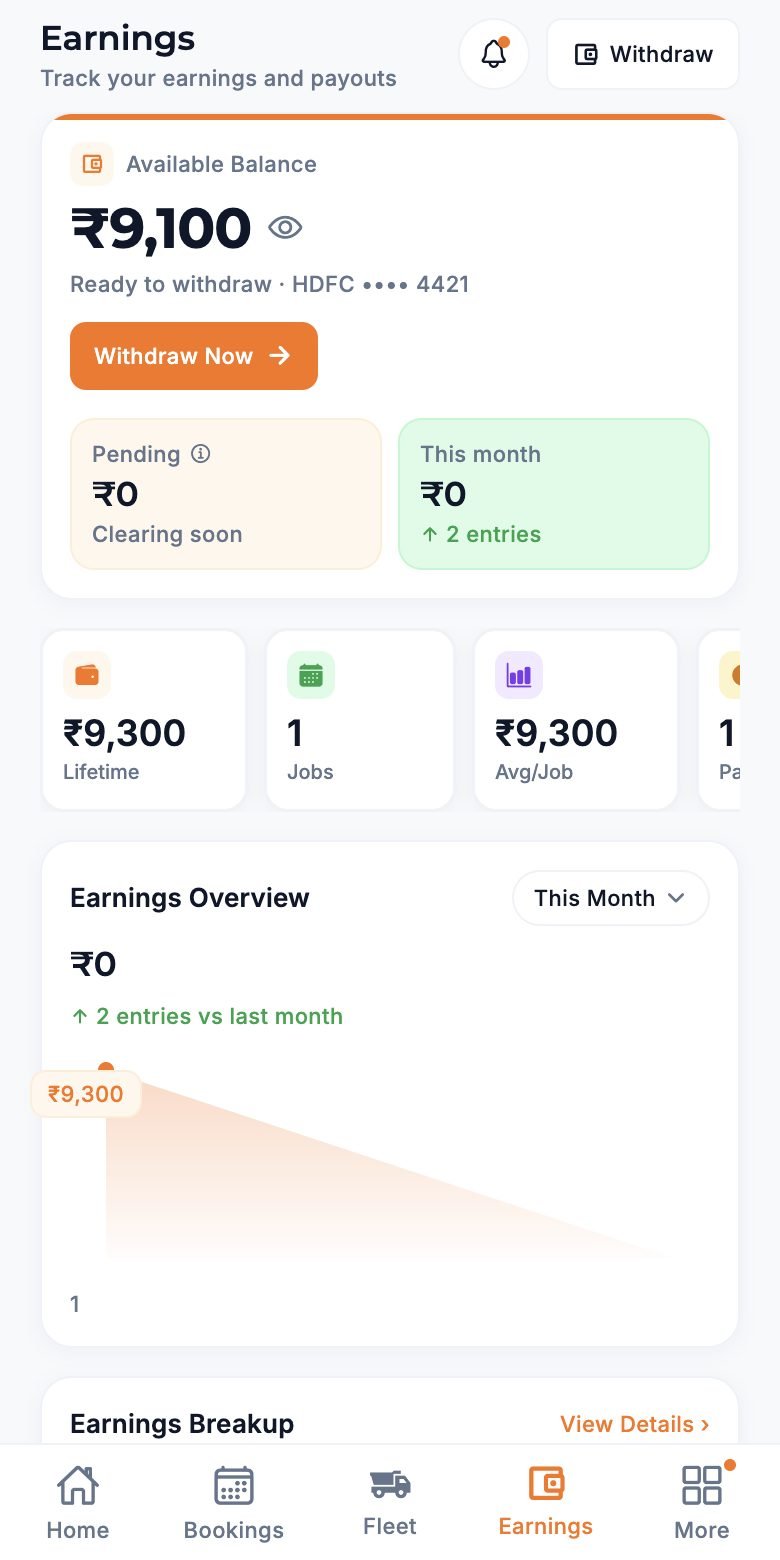
Pending and settled amounts per booking, without chasing cash on site.
Features
Type, brand, model, photos, city, and rates. Each listing carries its own RC, insurance, and PUC.
Set hourly, daily, weekly, and monthly prices, minimum hours, and operator fees.
Requests show the site city, dates, and length. Decline anything that does not fit.
Upload GST, PAN, and machine papers once. Approved KYC makes you bookable on every hire.
Assign operators to machines and bookings so the customer knows who is arriving.
Track pending and settled payments per booking. Bank details stay with HQ.
How it works
Open the BuildRigs app and pick I am a Vendor. Sign in with OTP, Google, or Apple.
Add business details and upload papers. HQ reviews them before you go live.
Add machines with photos, rates, and service areas.
Accept requests, share location on the job, and get paid on the booking.
FAQ
Anything else? Ask on WhatsApp or use the contact form and the team comes back within a day.
Registering and listing machines is free. Talk to us about the commission on completed hires.
Once all papers are uploaded, HQ reviews them, usually within one to two working days.
Yes. You set your service areas during registration and per machine.
Yes. It is one BuildRigs install; the role you pick on the first screen decides what you see.
More from BuildRigs
Get started
Talk to the team and we will set you up — usually the same day.